Markdown 和快捷键覆盖
💡 Tips:语雀支持全功能 markdown 语法,可以点击文档编辑页右下角小键盘查看全部支持的语法和快捷键。
- 支持导入导出
markdown 文件。
- 支持自动识别粘贴的
markdown 格式内容转换为富文本。
行内代码
💡 Tips:可通过 markdown 语法(+ `code` + + 空格)或者快捷键 ctrl/cmd + E快速插入行内代码。
在文本中使用行内代码,可以顺畅地显示代码变量名。
代码块
💡 Tips:输入/代码块或点击上方工具栏点击上方工具栏 ,选择「代码块」、插入代码卡片。
代码块同时支持多种颜色主题:
1
2
3
4
5
6
7
8
9
10
11
12
13
14
15
16
17
18
19
20
21
22
23
24
25
26
27
28
29
30
31
32
33
34
35
36
37
38
| export default class QuickSort extends Sort {
sort(originalArray) {
const array = [...originalArray];
if (array.length <= 1) {
return array;
}
const leftArray = [];
const rightArray = [];
const pivotElement = array.shift();
const centerArray = [pivotElement];
while (array.length) {
const currentElement = array.shift();
this.callbacks.visitingCallback(currentElement);
if (this.comparator.equal(currentElement, pivotElement)) {
centerArray.push(currentElement);
} else if (this.comparator.lessThan(currentElement, pivotElement)) {
leftArray.push(currentElement);
} else {
rightArray.push(currentElement);
}
}
const leftArraySorted = this.sort(leftArray);
const rightArraySorted = this.sort(rightArray);
return leftArraySorted.concat(centerArray, rightArraySorted);
}
}
|
1
2
3
4
5
6
7
8
9
10
11
12
13
14
15
16
17
18
19
20
21
22
23
24
25
26
27
28
29
30
31
32
33
34
35
36
37
38
| export default class QuickSort extends Sort {
sort(originalArray) {
const array = [...originalArray];
if (array.length <= 1) {
return array;
}
const leftArray = [];
const rightArray = [];
const pivotElement = array.shift();
const centerArray = [pivotElement];
while (array.length) {
const currentElement = array.shift();
this.callbacks.visitingCallback(currentElement);
if (this.comparator.equal(currentElement, pivotElement)) {
centerArray.push(currentElement);
} else if (this.comparator.lessThan(currentElement, pivotElement)) {
leftArray.push(currentElement);
} else {
rightArray.push(currentElement);
}
}
const leftArraySorted = this.sort(leftArray);
const rightArraySorted = this.sort(rightArray);
return leftArraySorted.concat(centerArray, rightArraySorted);
}
}
|
1
2
3
4
5
6
7
8
9
10
11
12
13
14
15
16
17
18
19
20
21
22
23
24
25
26
27
28
29
30
31
32
33
34
35
36
37
38
| export default class QuickSort extends Sort {
sort(originalArray) {
const array = [...originalArray];
if (array.length <= 1) {
return array;
}
const leftArray = [];
const rightArray = [];
const pivotElement = array.shift();
const centerArray = [pivotElement];
while (array.length) {
const currentElement = array.shift();
this.callbacks.visitingCallback(currentElement);
if (this.comparator.equal(currentElement, pivotElement)) {
centerArray.push(currentElement);
} else if (this.comparator.lessThan(currentElement, pivotElement)) {
leftArray.push(currentElement);
} else {
rightArray.push(currentElement);
}
}
const leftArraySorted = this.sort(leftArray);
const rightArraySorted = this.sort(rightArray);
return leftArraySorted.concat(centerArray, rightArraySorted);
}
}
|
数学公式
💡 Tips:输入 /公式或点击上方工具栏点击上方工具栏,选择「公式」、插入公式卡片。
公式支持行内嵌套: ,也支持块级嵌入。

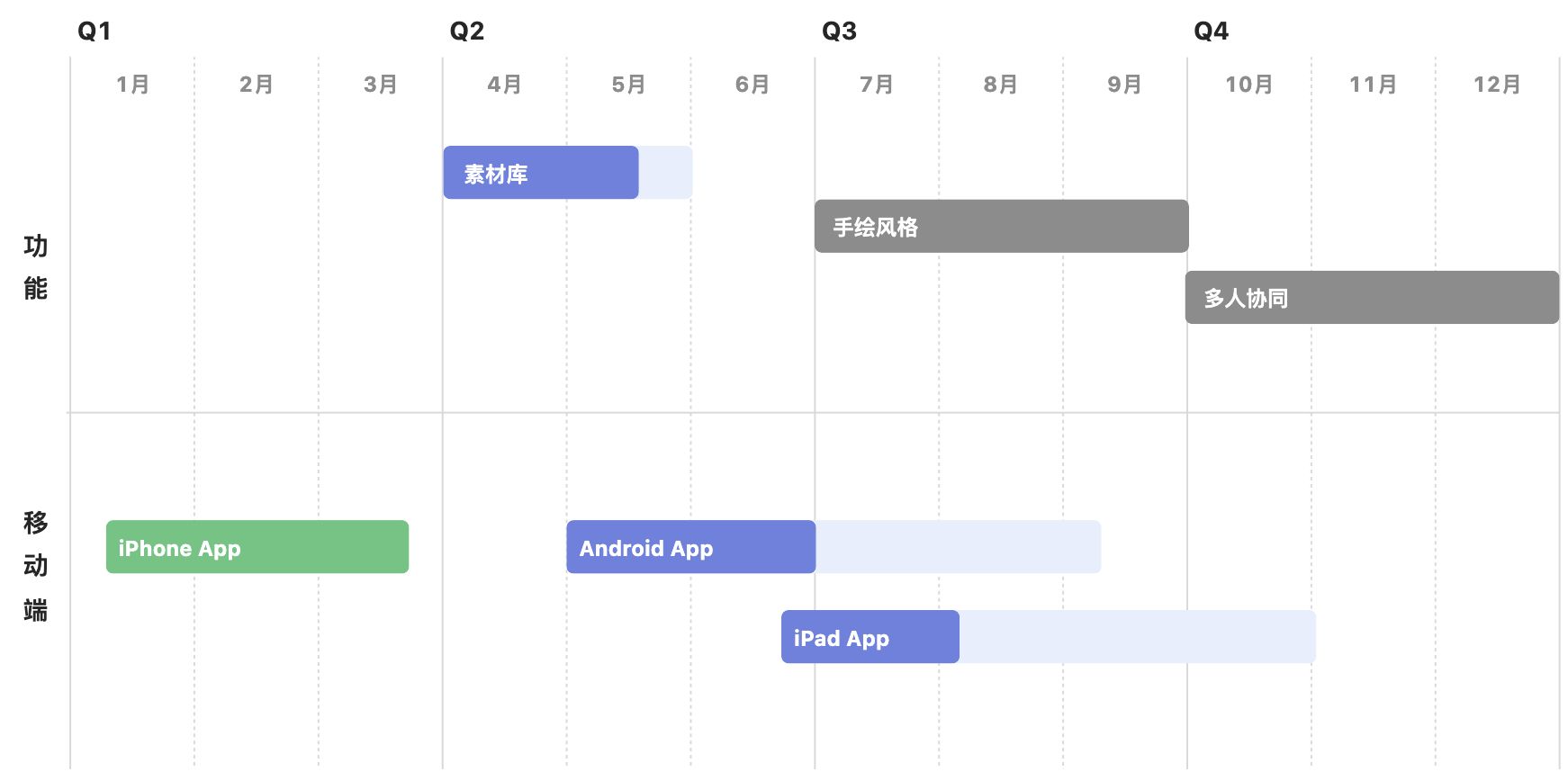
画板
💡 Tips:输入/画板或点击上方工具栏,选择「画板」、绘制流程图、架构图等各种图形。


文本绘图
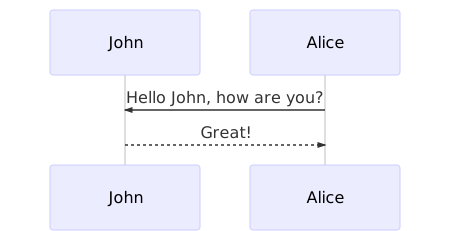
💡 Tips:输入/文本绘图点击上方工具栏,选择「文本绘图」、插入文本绘图卡片。
支持 plantuml、mermaid 等多种格式,点击预览可看到图形。具体代码样式见说明文档。